Every property.Every conversation.

Your real estate agency, connected. Listings, SIM calls, WhatsApp and AI — together with Bitrix24.

Explore the workspace

Made for agencies in the UAE & GCC.

EMCproperty contact workspace with buyer requirements, contact details and agency navigation
Your clients. Your properties. One connected workspace.Actual application · sample records

See the whole picture.

Follow a buyer from the first conversation to the right property. Choose a part of the workspace to take a closer look.

Your portfolio, in view.

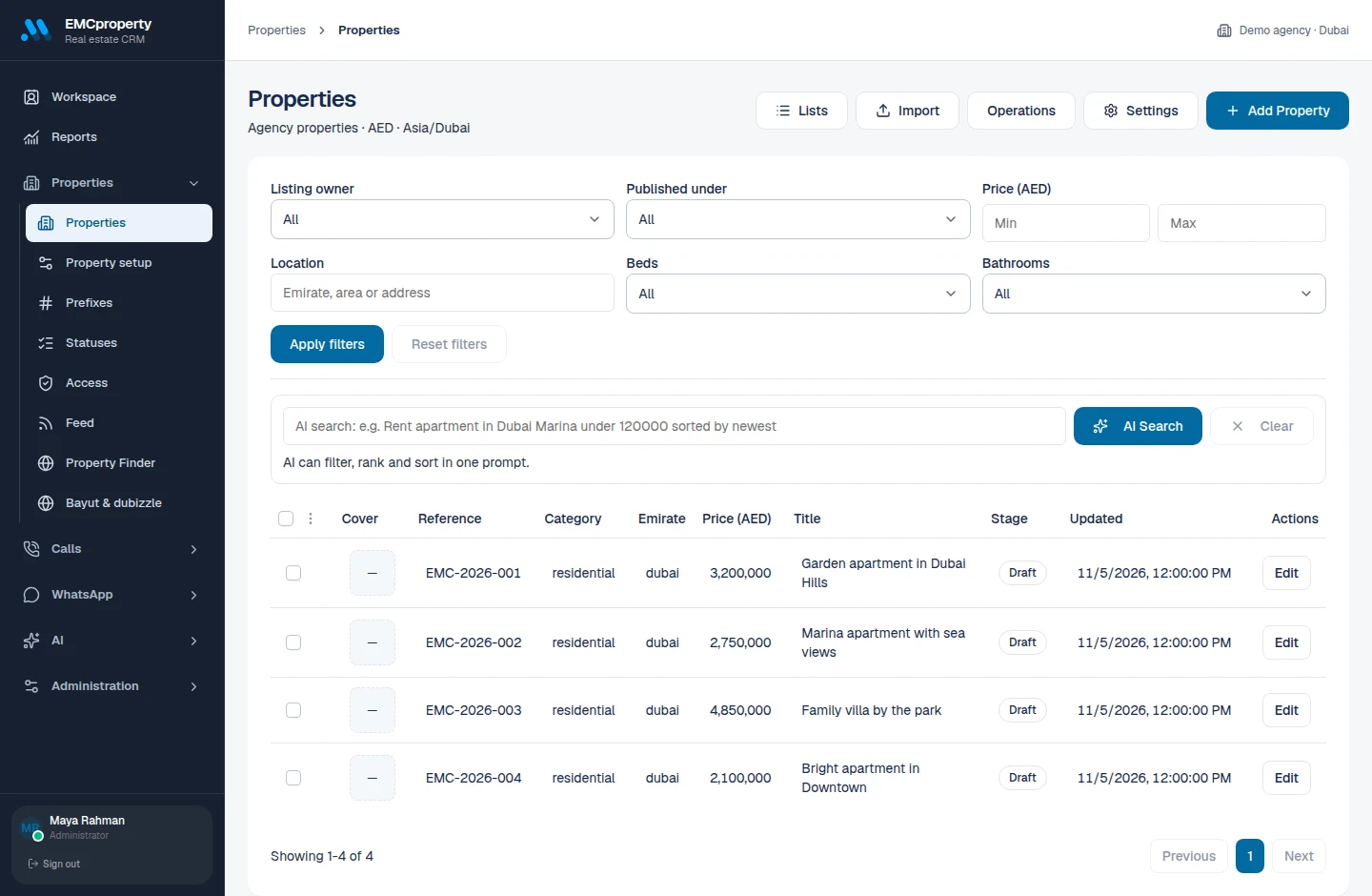
Keep property details, pricing and status together. Find the right listing and open the full record without losing your place.

Explore property tools
Property catalogue with sample Dubai listings, prices and statuses
Actual application, shown with sample data. Select the image to enlarge.

A home for every listing.

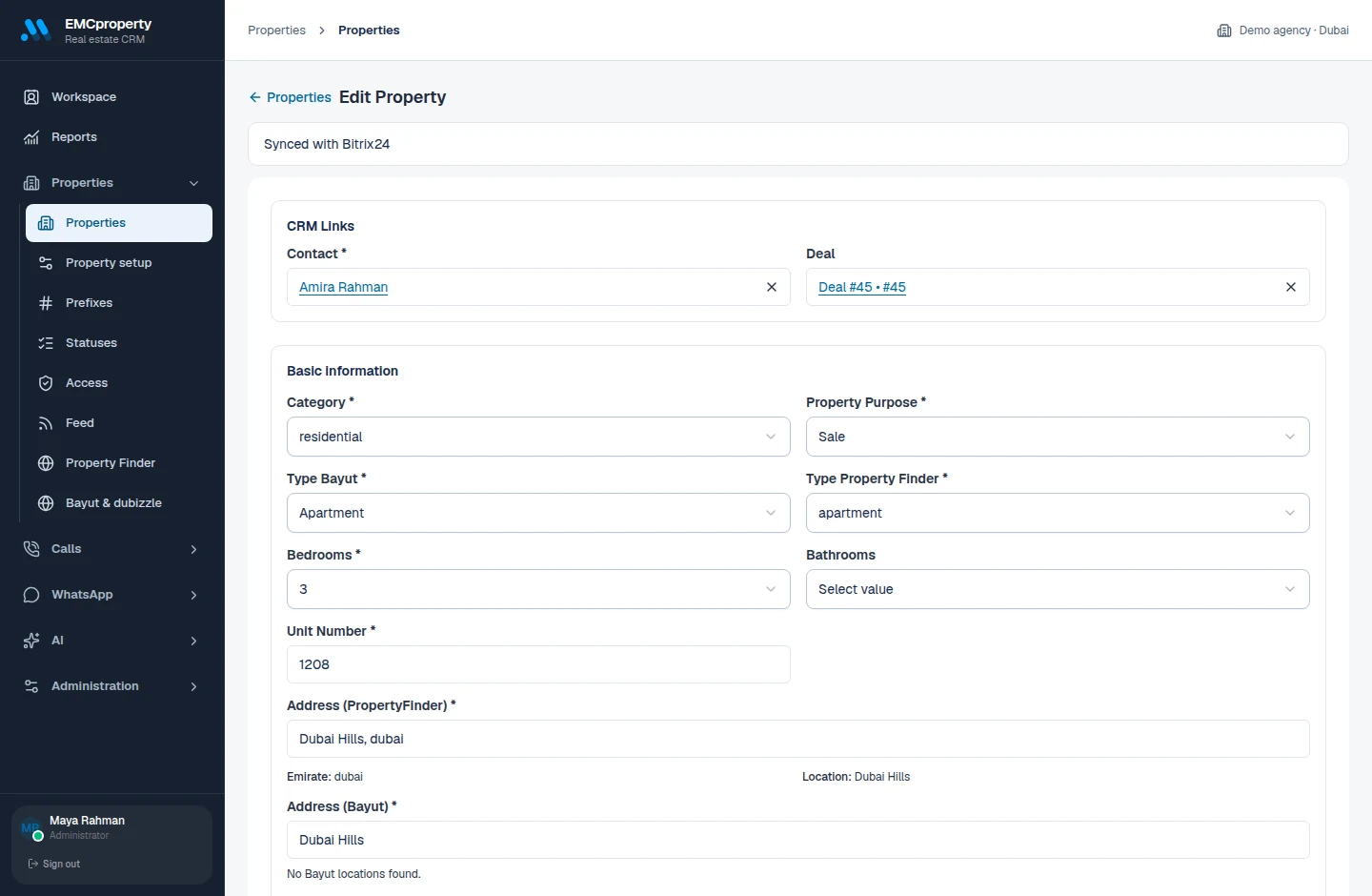
Build a property record your team can actually work from. Keep the details, people and presentation together.

Details that fit your market
English and Arabic content, AED pricing, locations, amenities and property documents.
From intake to presentation
Import listings, manage photos, link to property brochures and export XML feeds.
Connected to your CRM
Link properties to contacts and existing CRM records. Keep mapped fields and statuses in sync.
Actual property editor with the details of a sample Dubai Hills apartment
One property record, from the essentials to the details.

Keep the conversation.

A viewing starts with a conversation. Give your team the client context they need, wherever that conversation happens.

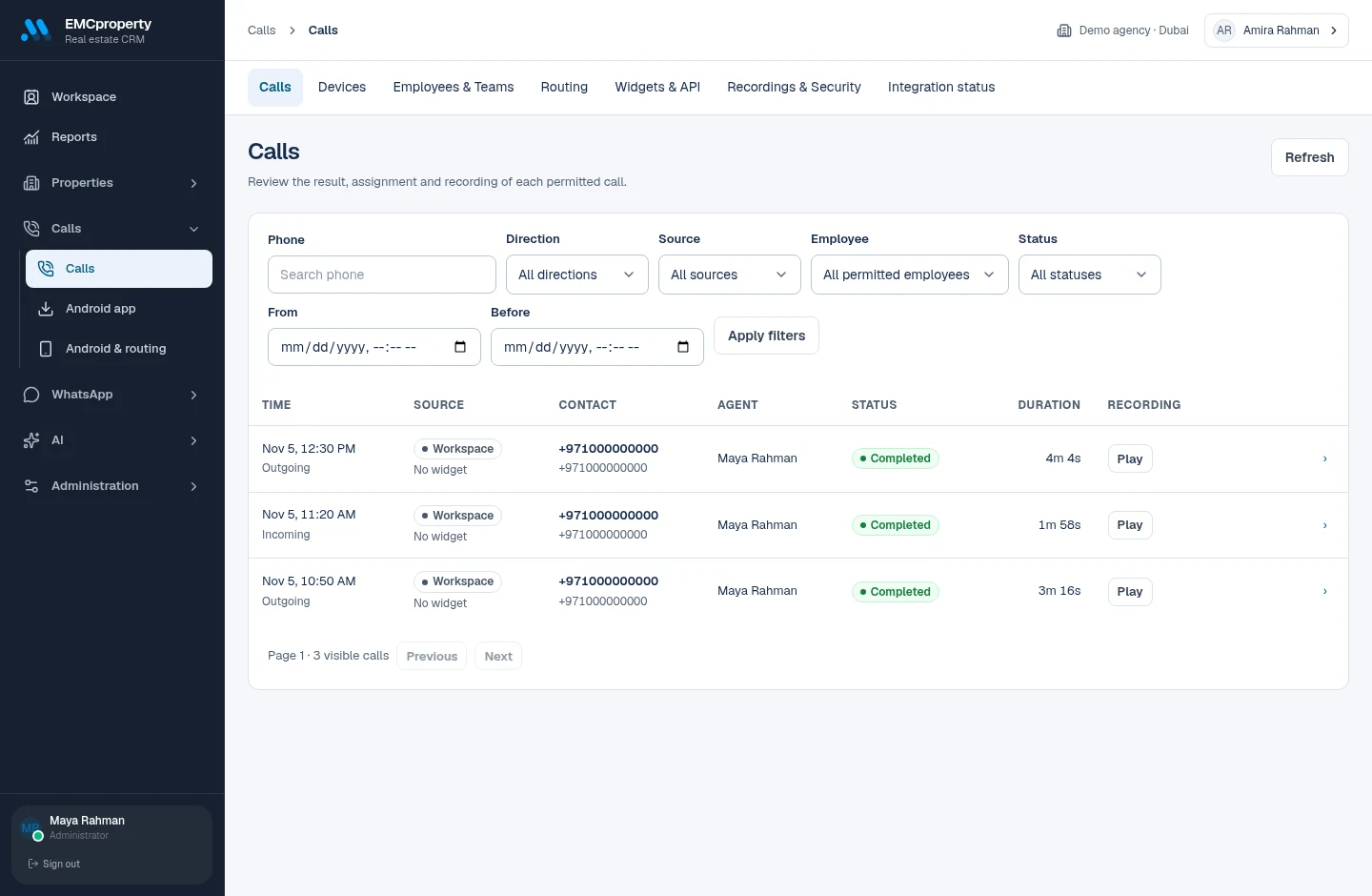
EMCproperty call history with sample completed calls and recording status

Call from your own SIM.

Start calls from your workspace or Bitrix24 using a paired Android phone. Route requests to employees and teams, and keep call history with the client.

Recordings are available on supported devices with the required permissions.

Get the Android app
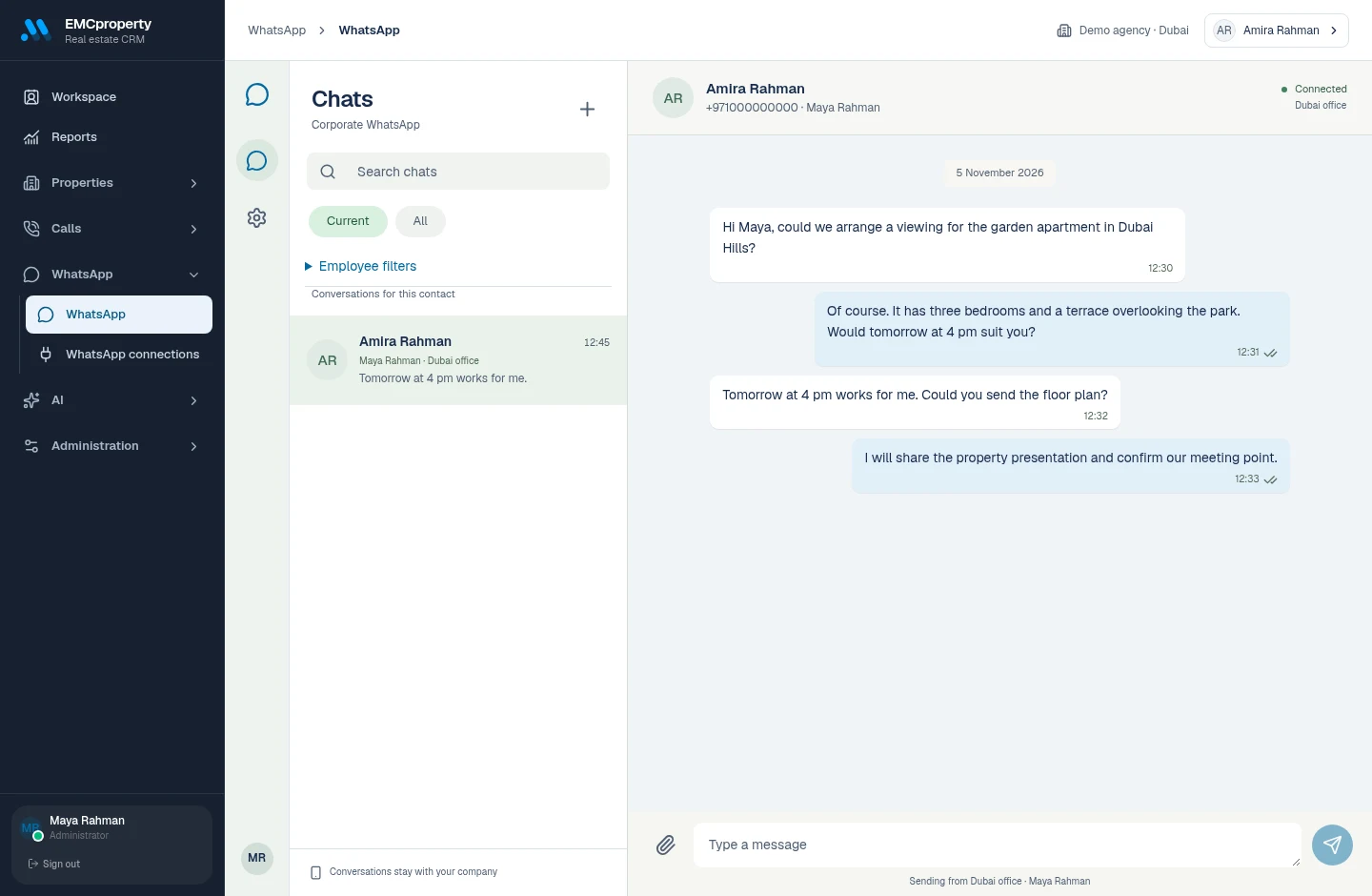
Sample WhatsApp conversation arranging a property viewing

WhatsApp, with context.

Connect a number by QR code. Read conversations, send messages and share attachments from the same workspace, with access controlled for your team.

Your agency connects and manages its own WhatsApp numbers.

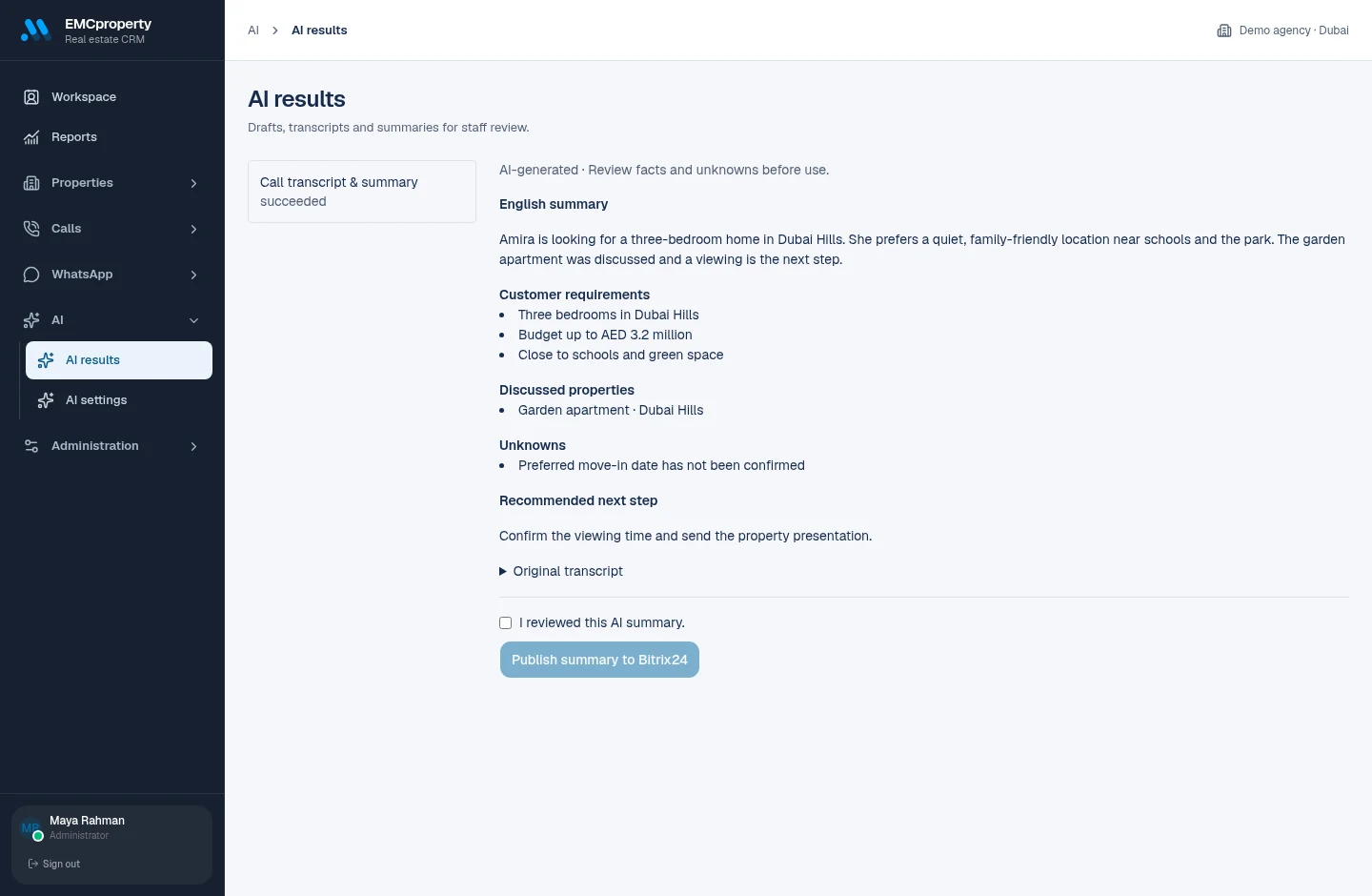
Turn calls into next steps.

Spend less time reconstructing a conversation. AI helps bring the requirements, properties and follow-up into focus.

AI review showing an example call summary, customer requirements, unknowns and a next step
An example call summary. Your team reviews the result before publishing.
Listen back in less time
Generate a transcript and English summary from an accessible recording.
Keep the useful details
Review customer requirements, discussed properties, unknowns and the recommended next step.
Give listings a head start
Search the property catalogue in plain language and draft property titles and descriptions.

You stay in control. Review AI output before using it or publishing a call summary to CRM.

Ready for the bigger picture.

Move listings out to the market. Keep visibility over the people, permissions and activity behind them.

From your desk to the market.

Connect your agency’s Property Finder and Bayut/dubizzle accounts. Prepare listings, track publication states and bring inquiries into your workflow.

Property FinderBayut / dubizzleXML feeds

Portal connections require your agency’s provider access and configuration.

Reports that follow the work
Review call activity and property reports by period and export the results to CSV.
The right access for the team
Keep Bitrix24 permissions, employee roles and agency data boundaries in place.
Enable what your agency needs
Manage property, SIM, WhatsApp and AI modules separately. Check connection and service status in one place.

Make it your workspace.

Start with your agency’s Bitrix24 portal, then connect the channels your team uses every day.

  1. Connect your portal

    Your administrator installs and connects EMCproperty to Bitrix24. One portal becomes one agency workspace.

  2. Bring in your team

    Invite employees, link their Bitrix24 identities and set up access, teams and routing.

  3. Connect your channels

    Pair Android phones, connect WhatsApp, configure property portals and enable the modules you need.

We’ll help you plan the right setup for your agency.

Discuss your setup

Good questions.

What to know before you get started.

Talk to EMCsoft
Do we need Bitrix24?

Yes. EMCproperty connects to your agency’s Bitrix24 portal. Employees link their Bitrix24 identities, and CRM permissions continue to apply. You can use the workspace inside Bitrix24 or in a separate browser tab.

How do SIM calls work?

Pair a supported Android phone with the EMCproperty app and assign it to an employee. Calls are placed using that phone’s SIM. The current phone app supports Android 8 and later; there is no iPhone SIM-calling app in this release.

Can we record calls?

Recording depends on your Android device, operating system, permissions and recording setup. Where supported, recordings can be uploaded, processed and attached to the relevant Bitrix24 call. Check your device and applicable consent requirements before enabling recording.

What does WhatsApp connect to?

Your agency connects its own WhatsApp numbers by scanning a QR code. Team members can work with chats and attachments according to their access. Connection status and permissions are managed by the agency administrator.

Do we need property portal accounts?

Yes. Property Finder and Bayut/dubizzle integrations require your agency’s own provider access and configuration. Your property catalogue also supports XML feeds and property presentations.

Does AI publish automatically?

No. Your team reviews AI-generated content. Publishing a call summary to CRM requires an explicit review and action. Property titles and descriptions are drafts to check before use.

How do we get access and pricing?

Contact EMCsoft to discuss onboarding, pricing and your agency’s requirements. Existing users can open the app and sign in. We’ll confirm installation and channel configuration for your portal as part of setup.

Your agency,
connected.

Let’s bring your properties, people and conversations into the same workspace.

Request a demo

Actual EMCproperty interface with sample records.